Enterprise Active Directory deployment and security hardening
A two-domain-controller Windows Server 2025 forest with a domain-joined Windows 11 client, Group Policy baselines, Windows LAPS, auditing and System State backups.
What I built
- Forest
ad.beginningdimension.comwith DC01 holding the FSMO roles and DC02 as a replica for authentication and DNS redundancy. Both are Global Catalogs. - OU design that separates admin tiers, workstations and departments, with delegated rights so helpdesk accounts only touch what they need.
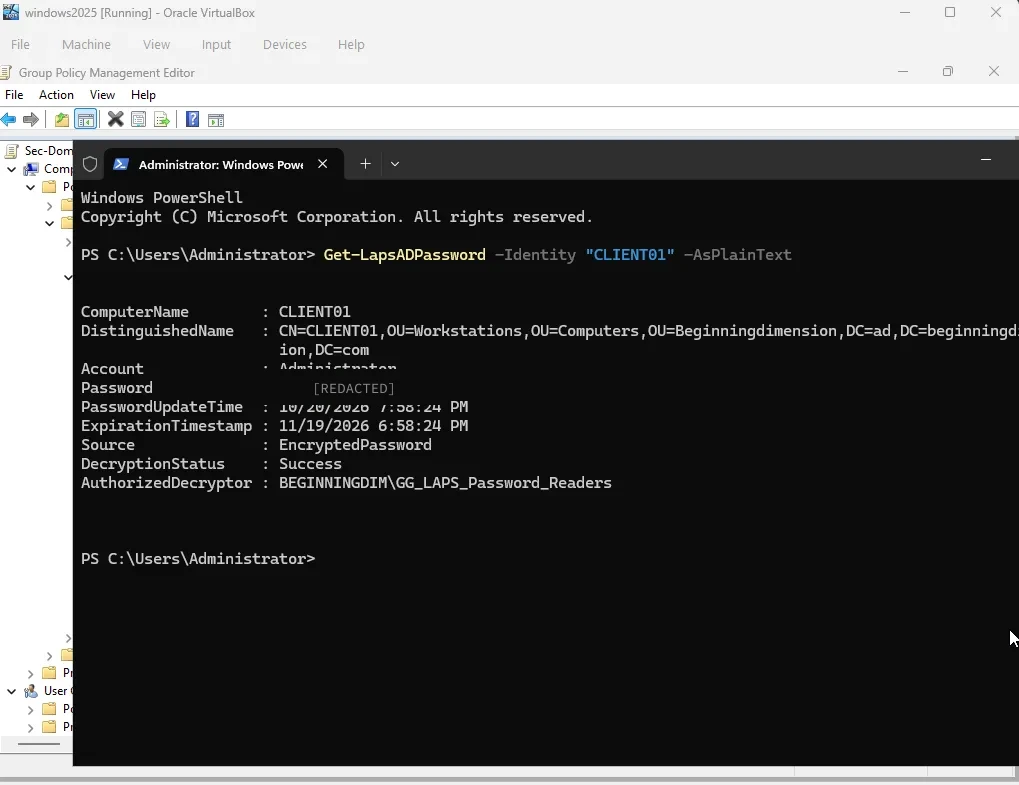
- Group Policy baselines for passwords, lockout and workstations, plus Windows LAPS for rotating local admin passwords.
- Advanced audit policy for logon, account management and directory changes, and System State backups with Windows Server Backup.
- 13 documented phases, each with step-by-step notes and screenshots.
Issues I hit and fixed
GPOs failing on CLIENT01. gpupdate /force failed and DC01 reported “no time data was available”. The cause was Kerberos clock skew: the isolated PDC Emulator had no reliable time source. I pointed DC01 at external NTP, set the other machines to sync from the domain hierarchy, then confirmed with w32tm /query /status and gpresult.
DNS forwarder timeouts. DC01 was forwarding queries to the lab gateway (192.168.10.1), which didn’t answer DNS, so lookups timed out. I removed that forwarder and kept only reliable public resolvers.
“Non-existent domain” errors and binding conflicts after promotion. Extra network adapters had registered stale records in DNS, and the DNS service was listening on the wrong interfaces. I disabled the extra adapters, deleted the stale records and forced re-registration. Then I bound DNS to 192.168.10.10 only, restarted DNS and Netlogon, and re-ran the diagnostics until they passed.
Every incident is written up as symptom, root cause, fix and verification in the repository’s troubleshooting log.